Learn
Dictation
Dictate into the chapter you have open. Speech recognition runs on your Mac, and your world's names come out spelled the way you spelled them.
You can start and stop dictation from the keyboard, pick a microphone, and trust the names.
Turn it on
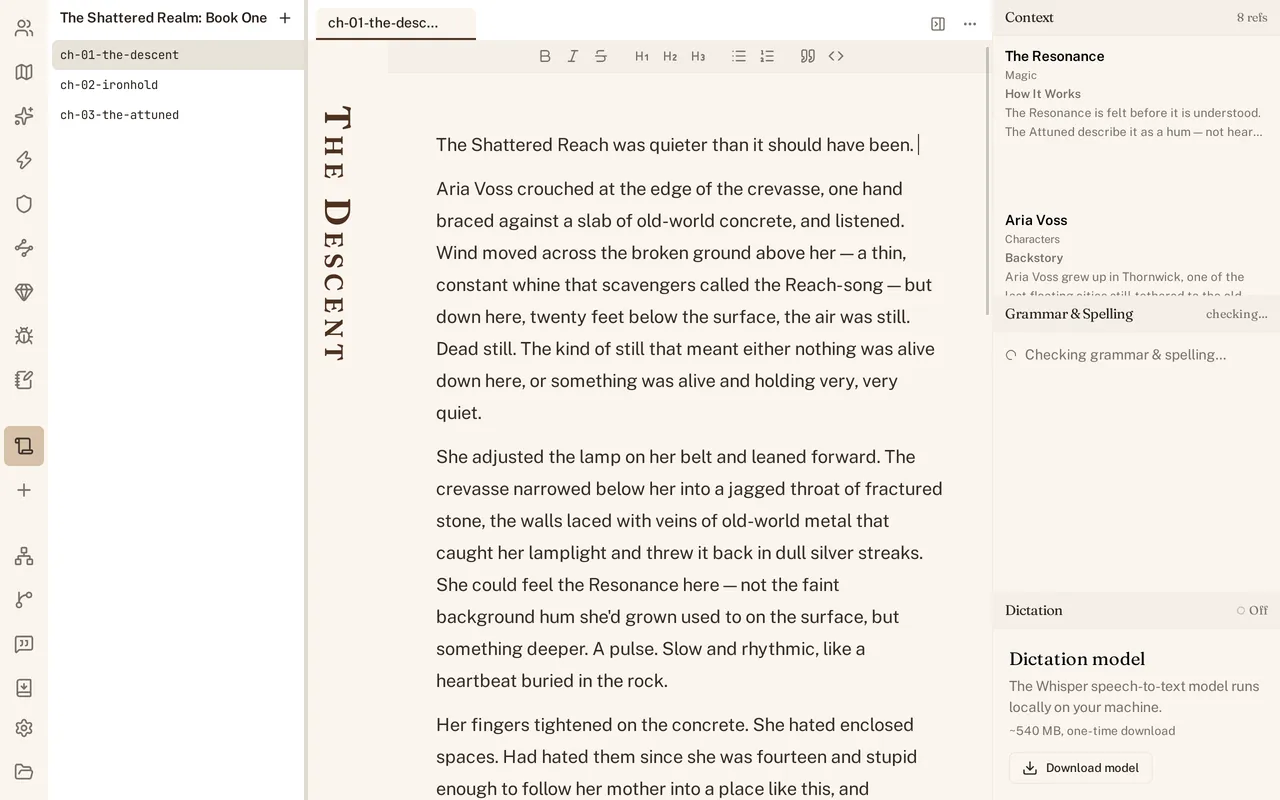
Press Cmd+Shift+D, or open the Dictation section at the bottom of the right dock and click the play button. The section header reads Off until a session starts and Recording while one is running, and a level meter appears next to the button and moves with what the microphone hears. What you say is inserted into the chapter at the cursor.
The first time, macOS asks whether World Builder may use the microphone. If you say no, the section shows a banner that says Microphone permission denied and tells you where to change your mind: open System Settings, then Privacy & Security, then Microphone, and enable World Builder. There is a button in the banner that opens that pane for you.
The microphone is chosen in Settings, under Writing, Dictation. Input device is System default until you pick one of the machine’s inputs by name.
The first run downloads a model
Speech recognition runs on your machine, so the model has to be on your machine. Until it is, the Dictation section shows a panel in place of the transport: “The Whisper speech-to-text model runs locally on your machine”, the size, and a Download model button. Whisper is about 540 MB, once. A second file, the Silero model that decides where your speech starts and stops, is under a megabyte and comes down with it.
You do not have to click the button. Starting a session loads the engine, and loading the engine fetches the weights if they are not on disk yet. Either way it happens once: the files live outside the project, and every world on the machine uses them.
Whisper or Parakeet
There are two engines. Whisper, the medium.en model from whisper.cpp, is the default and the one you get unless the app’s config file says otherwise. Parakeet is NVIDIA’s Parakeet TDT 0.6B v3, and it is about 670 MB. There is no picker for this in the window yet. Only the engine you are set to use is downloaded, and both hand their audio to the same Silero model first.
Your names come out spelled right
Match world names is on by default, in Settings under Writing, Dictation. With it on, World Builder builds a list of the names in your world files when the session starts, and checks every transcribed span against that list before the words reach the chapter. A span that sounds like a name you wrote is replaced with your spelling, capitalization and all.
The test suite proves it with a recording of the invented name Kyralen. Run the same audio through the same engine with no vocabulary and the transcript does not contain Kyralen; give it a world that has Kyralen in it and the transcript does.
Two guards keep it from rewriting ordinary English. Sounding alike is not enough on its own: the spellings have to be close as letters too, and short names are held to a stricter bar, so a world with a place called Zin does not turn “the sin of pride” into “the Zin of pride”. On top of that there is a fixed list of common words that are never rewritten, whatever they sound like, which is why a world containing Doktor still leaves “the doctor arrived late” alone.
Stop
Press Cmd+Shift+D again, or click the stop button. Stopping closes the microphone and then drains what is already queued rather than throwing it away, so the last thing you said is transcribed and inserted before the session ends.
Every finished line stacks up in the scrollback under the transport, newest first. The newest line has an Undo button that takes those words back out of the chapter. Once the next line lands, the one before it is yours to edit like anything else you typed.
See Grammar and spelling for what happens to the words dictation just inserted.