World Builder for Mac
Write the book. Build the world.
A private writing app for novelists and game masters. Draft, organize characters and lore, get editorial feedback, and export a finished book from one folder on your Mac.
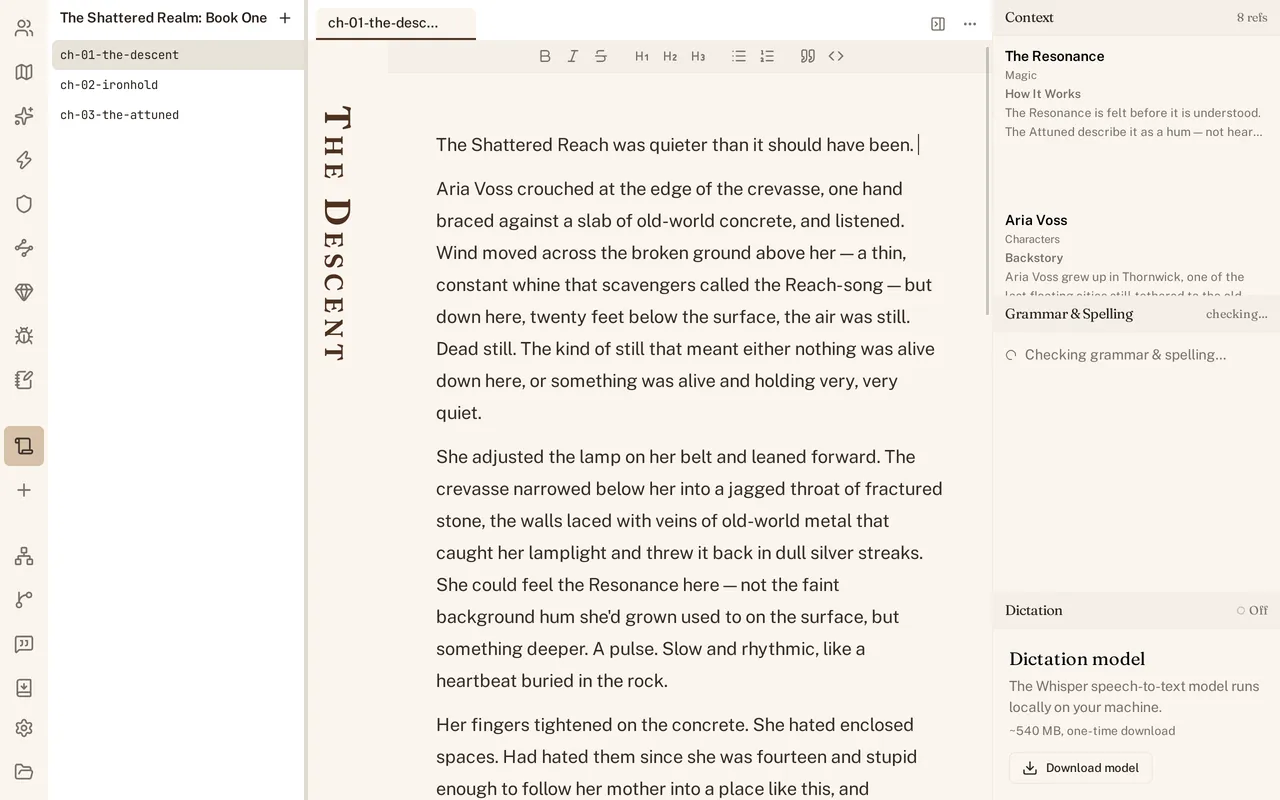
Stop switching between your draft and your notes.
The right context, automatically
As you write, World Builder shows the characters, locations, and lore in the scene. Their facts and relationships stay one click away.
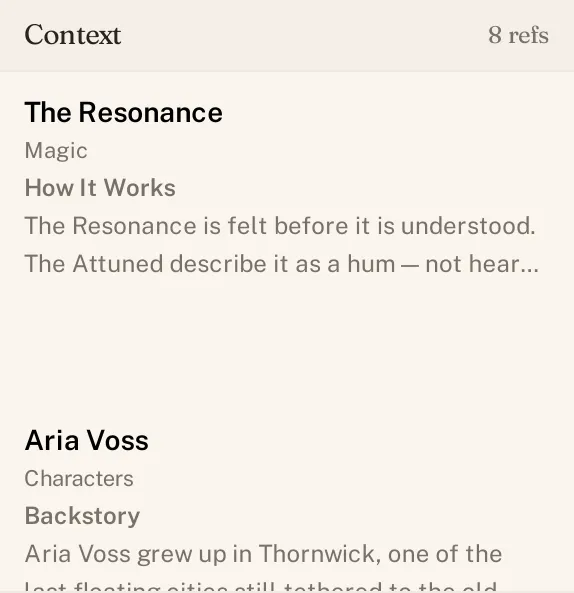
The details for this scene, ready when you need them. Build a connected world, not a pile of notes
Link people, places, organizations, and ideas as you write. Then see every connection across your world in one view.
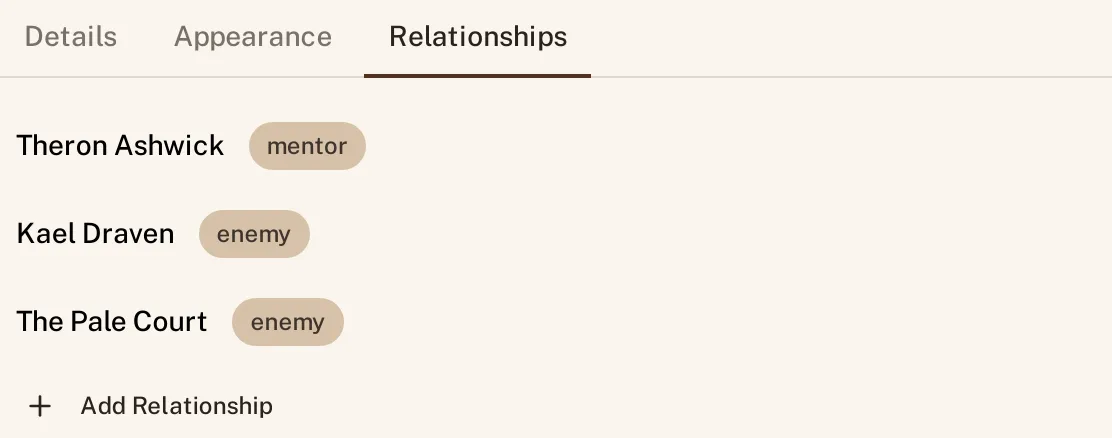
See every connection across your world. Your history is built in
World Builder saves revisions as you work. Open any version to see exactly what changed, line by line.
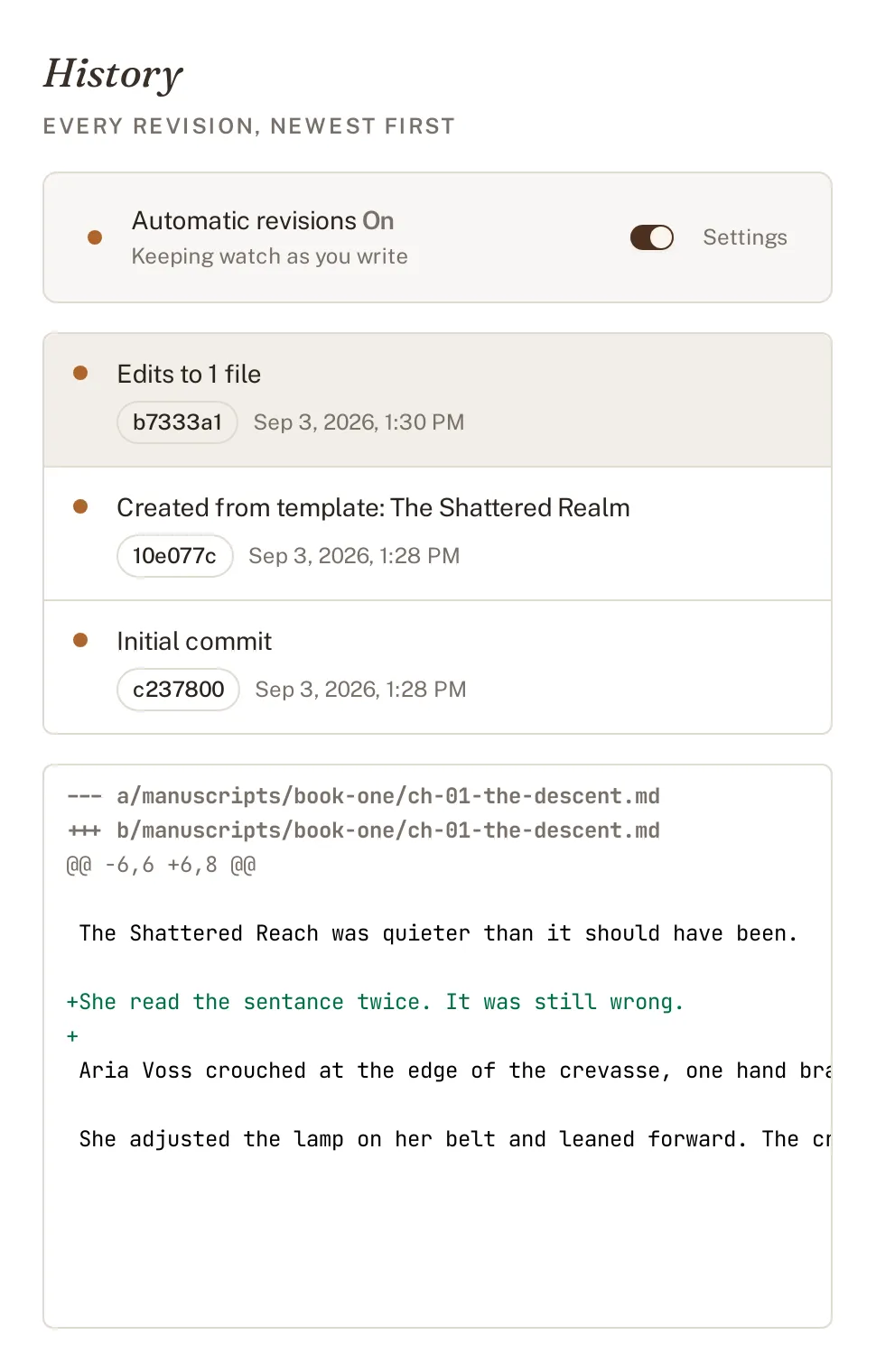
Every revision, ready to inspect. Dictation that knows your world
Dictate directly into your draft. Speech recognition runs on your Mac and learns the names in your project.
Finish stronger without handing your work to a bot.
Clear feedback while you write
Catch spelling, grammar, punctuation, repetition, and style issues without leaving the page. Fix them in one click or ignore them.
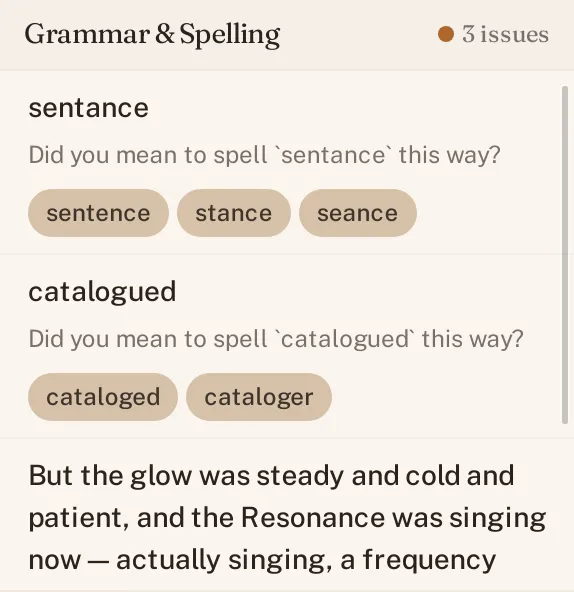
Find the issue. Make the call. Find the problems that need a real pass
Review a scene, chapter, or whole manuscript for passive voice, sticky sentences, echoes, cliches, pacing, dialogue, point of view, and more.
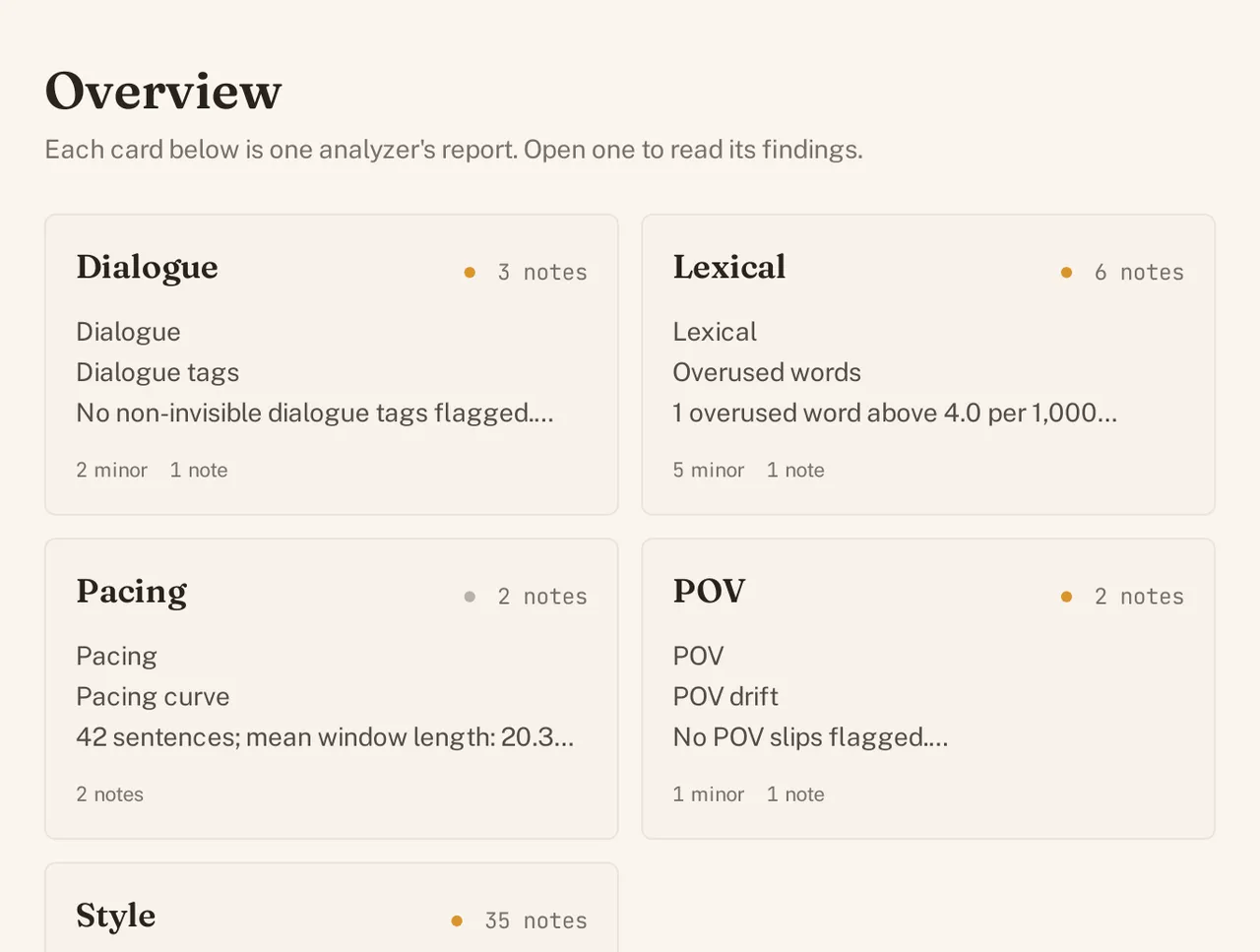
A useful editing list, not a generic score. Your voice stays yours
World Builder explains what it found and points to the line. It does not replace your prose. You accept, ignore, or rewrite every suggestion.
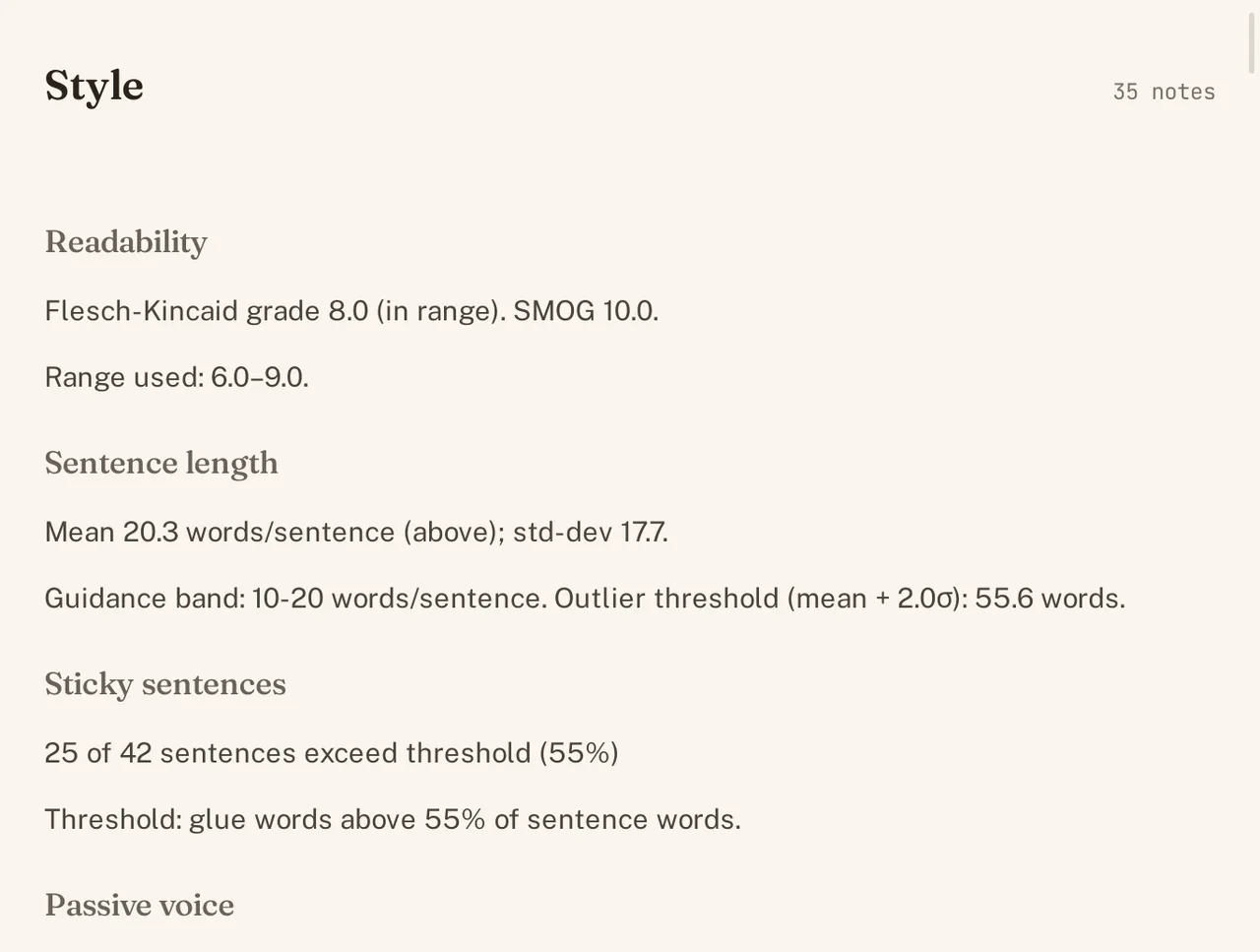
Suggestions, never automatic rewrites.
Your work never leaves your Mac.
Every chapter, character, and world entry is a plain text file in a folder you own. Open it in any editor. Keep it forever. Your project remains usable even if World Builder disappears.
No account. No cloud sync. No analytics. Your manuscript is never uploaded to an AI service. World Builder only connects to fetch the on-device AI or speech models. You can turn off automatic fetching.
Your files. Your Mac. Your control.
Local AI gets better. Your AI bill stays at zero.
Download a model once. Use it forever.
World Builder runs free local models on your Mac, with no credits, per-word charges, or subscription. It recommends one that fits your machine. When a better model arrives, choose it and keep improving your editorial toolkit.
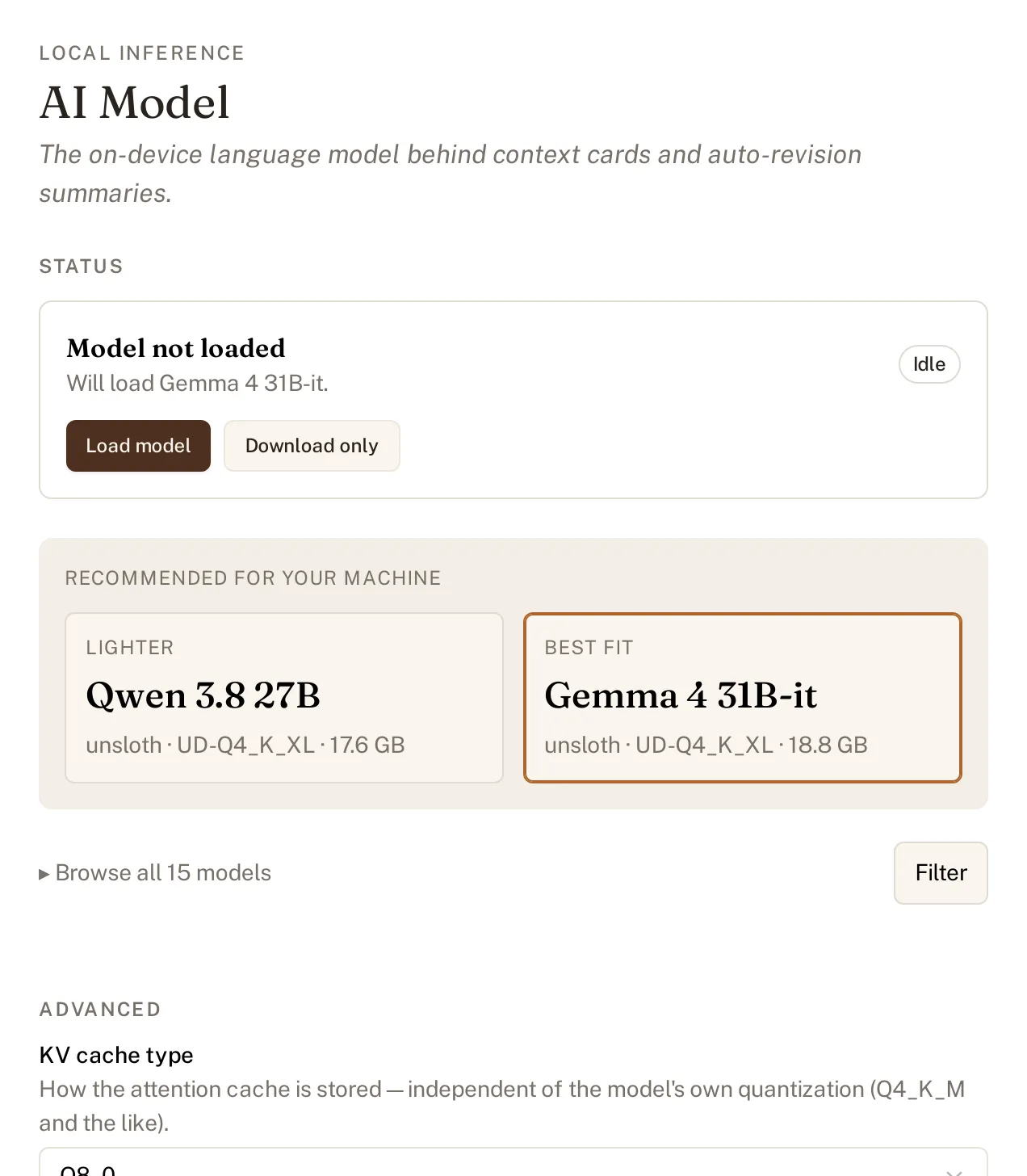
Choose the best model for your Mac.
Export when it is ready to be a book.
Ready to share, print, or publish
Export PDF for print, EPUB for readers, or HTML for the web. Your book gets a cover, table of contents, and running heads. Make the file yourself and publish wherever you like.
Export it, then publish it your way.
For novelists. Great for game masters.
Start with a fantasy novel, science-fiction novel, tabletop campaign, or blank folder. Characters, locations, magic, technology, religions, groups, items, species, and research are ready from the start. Change the structure to fit any genre or world.
Questions, answered.
Do I need an account?
No. World Builder is a folder on your Mac, not a service you sign in to.
Does my writing leave my Mac?
Never. World Builder only downloads the local AI and speech model files it needs. Automatic downloads are on by default, but you can turn them off and download models yourself.
Will it write my prose for me?
No. It finds issues and explains them. You decide every change and write every sentence.
Which checks need a local model?
Grammar, spelling, and sixteen rule-based checks work without one. Deeper reads of characters, style, dialogue, point of view, pacing, and lexical choices use a local model.
Can I go back to an old version?
You can open any saved revision and see its changes, line by line. A one-click restore is not available yet.
What can I export?
PDF, EPUB, or HTML. Export the whole world book or a manuscript on its own.
How will I buy it?
One purchase on the Mac App Store. No subscription.