Learn
Relationships and the graph
Give a character a relationship, mentor, enemy, whatever fits, and see the whole world laid out as a graph.
You can record how the people and places in your world relate, and see the shape of the whole thing at once.
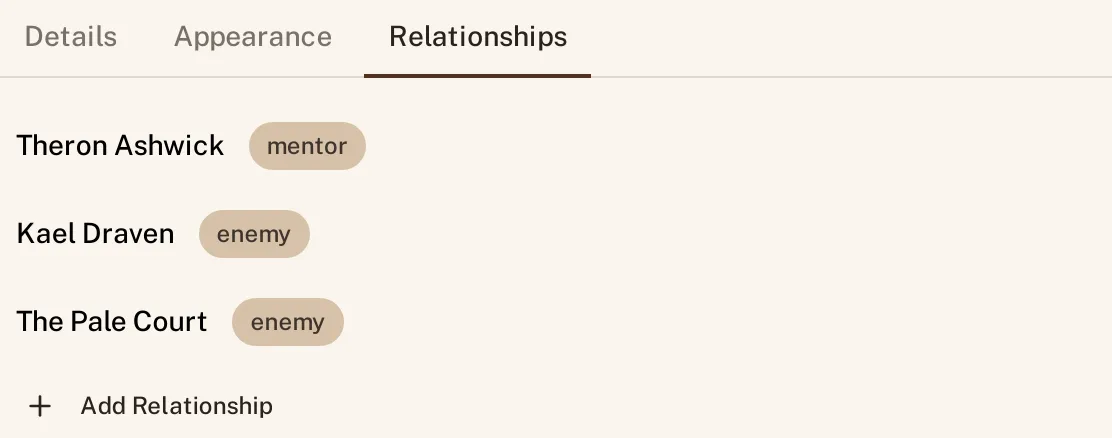
Add a relationship on a character
Open a character and click into the Relationships tab, alongside Details and Appearance. Click Add Relationship, pick who or what they are related to, and it appears in the list immediately, tagged with the kind of relationship it is.
Relationship types
Every relationship carries a type, shown as a small tag next to the name it belongs to, mentor and enemy are two you will see right away. The type is what turns a bare list of names into something you can read at a glance: not just that a character knows someone, but what that means.
The whole-world graph at /graph
Every relationship you add on every part feeds one graph, at /graph, showing the whole world at once, every character, place, and everything else you have linked, connected by the relationships you gave them. It is the same data as the tab on one character’s page, just all of it, laid out together instead of one entity at a time.
Pan, zoom, click
The graph is not a static picture. Drag to pan around it, scroll to zoom in on a cluster of characters or out to see the whole shape of your world, and click any node to jump straight to that part’s page. It is a way to notice things a list never shows you: a character with no relationships at all, or two factions that turn out to share more connections than you remembered writing.
See Linking prose to your world for the @ links that connect your prose to these same parts.